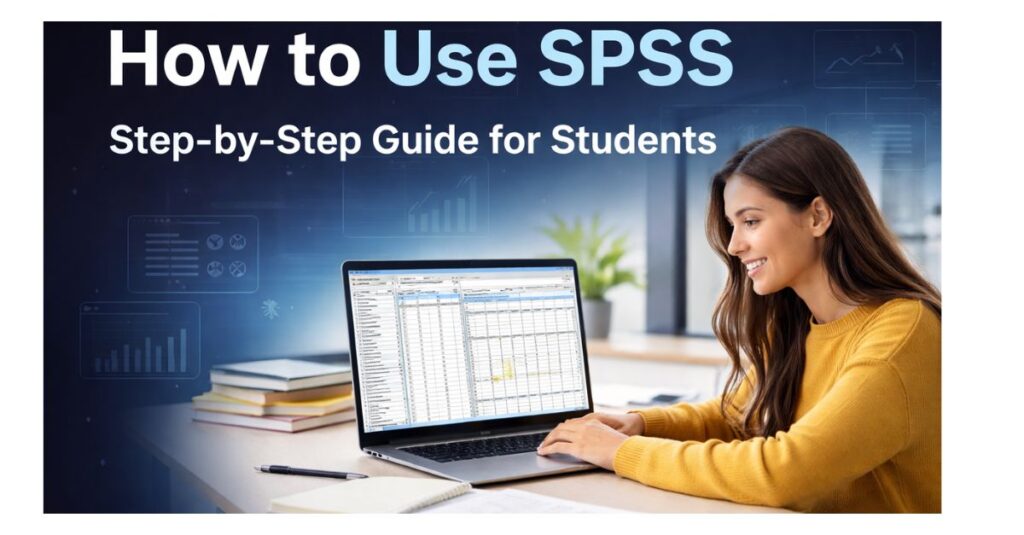
How to Use SPSS: A Complete Step-by-Step Guide for Students
SPSS is one of the most widely used statistical software programs in universities, yet it remains one of the most confusing tools for students to learn independently. Many students search for how to use SPSS because lectures often move too fast, instructions feel overly technical, and mistakes in data analysis can directly affect grades, dissertation approval, or even graduation.
SPSS is not just software. It combines statistics, data structure, and academic writing into one process. This guide explains how to use SPSS step by step, from setting up variables and entering data to running statistical tests, interpreting output, and writing results correctly for academic submission.
What Is SPSS Used For?
SPSS (Statistical Package for the Social Sciences) is used to analyze quantitative data collected through surveys, experiments, questionnaires, and observational studies. Universities rely on SPSS because it allows students to perform complex statistical analysis without manually calculating formulas.
Students commonly use SPSS to:
- Analyze survey and questionnaire data
- Compare groups in experimental research
- Test research hypotheses
- Examine relationships between variables
- Produce results tables for assignments and dissertations
SPSS is widely used in psychology, business, nursing, education, public health, sociology, and social sciences, making it an essential skill for many degree programs.
How to Use SPSS for the First Time
When you open SPSS for the first time, the interface may look overwhelming. However, SPSS follows a clear structure that becomes easier once understood.
You will mainly work in two areas:
- Variable View – where variables are defined and prepared
- Data View – where actual data values are entered
Many beginners make the mistake of entering data immediately. Proper use of SPSS always starts with Variable View, because incorrect variable setup leads to analysis errors later.
How to Set Up Variables in SPSS (Variable View)
Variable View is the foundation of all SPSS analysis. Every variable must be defined correctly before entering data.
Key Variable Settings Explained
Variable Name: A short identifier without spaces (e.g., age, gender, score). Clear naming prevents confusion later.
Variable Type: Most student analyses use numeric variables. Text variables are rarely suitable for statistical tests.
Label: A full description of the variable. Labels help interpret SPSS output tables.
Value Labels: Categorical variables must be coded numerically (for example, 1 = Male, 2 = Female). SPSS cannot analyze text categories directly.
Measurement Level
- Nominal: categories without order
- Ordinal: ranked categories
- Scale: continuous numerical data
Choosing the wrong measurement level is one of the most common student mistakes and directly affects which statistical tests SPSS allows you to run.
How to Enter Data in SPSS (Data View)
Once variables are defined, data can be entered in Data View.
In SPSS:
- Each row represents one participant or case
- Each column represents one variable
For example:
- Row 1 = Participant 1
- Column 1 = Gender
- Column 2 = Age
- Column 3 = Test score
Accuracy at this stage is critical. Incorrect data entry leads to misleading results, even if the analysis steps are correct.
How to Clean and Prepare Data in SPSS
Before running any statistical tests, data must be checked and cleaned. This step is essential in dissertations and research projects.
Common data preparation tasks include:
- Identifying missing values
- Checking for outliers
- Testing normality
- Screening data for assumptions
Skipping data preparation can lead to invalid results and revision requests from supervisors. Students who need help applying these steps to real datasets often rely on structured SPSS data analysis help to ensure accuracy and avoid costly mistakes.
How to Choose the Right Statistical Test in SPSS
One of the most common questions students ask is:
Which test should I use in SPSS?
The correct statistical test depends on:
- Your research question
- The type of variables
- The number of groups
- Whether assumptions are met
Common Statistical Tests Used in SPSS
- Descriptive Statistics: Summarize data using means, standard deviations, and ranges.
- T-Tests: Compare two groups (independent or paired).
- ANOVA: Compare three or more groups.
- Correlation: Examine relationships between variables.
- Regression: Predict outcomes or examine influence.
- Chi-Square Test: Analyze relationships between categorical variables.
Choosing the wrong test can invalidate results even if SPSS produces output. When coursework deadlines are close or test selection feels unclear, targeted SPSS homework help can support students while maintaining academic standards.
How to Run Descriptive Statistics in SPSS
Descriptive statistics help you understand your data before advanced analysis.
Steps:
- Click Analyze → Descriptive Statistics → Descriptives
- Move variables into the analysis box
- Select statistics such as mean and standard deviation
- Click OK
These results are usually reported first in assignments, theses, and dissertations.
How to Run a T-Test in SPSS
Independent Samples T-Test
Used to compare two different groups (for example, male vs female).
Steps:
- Analyze → Compare Means → Independent Samples T-Test
- Assign test and grouping variables
- Define group values
- Click OK
SPSS generates tables showing group means, test statistics, and significance values.
How to Run ANOVA in SPSS
ANOVA is used when comparing three or more groups.
Steps:
- Analyze → Compare Means → One-Way ANOVA
- Assign the dependent variable and factor
- Select post-hoc tests if required
- Click OK
ANOVA is commonly used in experimental and survey-based research.
How to Run Correlation and Regression in SPSS
Correlation
Used to assess relationships between variables.
- Analyze → Correlate → Bivariate
Regression
Used to predict one variable using others.
- Analyze → Regression → Linear
Regression analysis is especially common in business, psychology, and social science research.
How to Interpret SPSS Output
SPSS output can look intimidating, but not every value needs to be reported.
Key elements to focus on include:
- P-values (Sig.)
- Means and standard deviations
- Test statistics
If p < .05, the result is usually considered statistically significant unless stated otherwise by your institution.
Interpreting output correctly is often more challenging than running the analysis itself. If SPSS results feel confusing or feedback highlights interpretation errors, students can use the contact page to ask specific questions based on their own data.
How to Write SPSS Results in APA Format
Correct reporting is essential for academic success.
APA-style results should include:
- Test name
- Test statistic
- Degrees of freedom
- P-value
- Group statistics where relevant
Example:
An independent samples t-test revealed a significant difference between groups, t(58) = 2.45, p = .017.
Clear, accurate reporting demonstrates academic competence and reduces revision requests.
Common SPSS Mistakes Students Make
Students often:
- Choose incorrect statistical tests
- Ignore assumptions
- Misinterpret p-values
- Copy SPSS tables without explanation
- Report unnecessary statistics
Avoiding these mistakes significantly improves grades and confidence.
When Should Students Get Help Using SPSS?
Students typically seek help when:
- They are unsure which test to use
- SPSS output does not make sense
- Errors keep appearing
- Deadlines are approaching
- Supervisors request revisions
Early guidance saves time, stress, and academic penalties.
Final Thoughts: How to Use SPSS With Confidence
Learning how to use SPSS takes time, but it does not have to be overwhelming. With a structured approach, students can confidently enter data, choose the correct statistical tests, interpret results, and write academically sound conclusions.