How to Run a Mann Whitney U Test in SPSS (Complete Step-by-Step Guide)
The Mann Whitney U test is one of the most widely used nonparametric statistical tests in academic research. It is especially important in dissertations, theses, and journal publications where researchers need to compare two independent groups but cannot meet parametric assumptions such as normality.
This comprehensive guide explains how to run a Mann Whitney U test in SPSS, when to use it, how to prepare your data correctly, how to interpret output tables, and how to report results in APA format. We will also explore effect size calculations, assumption checks, and practical examples across disciplines including healthcare, business, psychology, and education.
If you are working on a dissertation or research project and need structured guidance, you may also find support in SPSS data analysis help, nonparametric statistics help, or dissertation statistics help for complex models.
What Is the Mann Whitney U Test?
The Mann Whitney U test (also called the Wilcoxon Rank-Sum test) is a nonparametric alternative to the independent samples t-test.
It is used to determine whether there is a statistically significant difference between two independent groups on a continuous or ordinal dependent variable.
When Is It Used?
You should use the Mann Whitney U test when:
- You have two independent groups
- Your dependent variable is ordinal or continuous
- Your data is not normally distributed
- Sample size is small
- There are extreme outliers
- Homogeneity of variance is violated
Mann Whitney U vs Independent Samples t-Test
Many researchers confuse when to choose between these two tests.
| Feature | Independent t-Test | Mann Whitney U Test |
|---|---|---|
| Data Type | Continuous | Continuous or Ordinal |
| Normality Required | Yes | No |
| Outlier Sensitive | Yes | Less sensitive |
| Distribution Shape | Must be normal | Any distribution |
| Measures | Means | Ranks |
| Test Statistic | t | U |
The Mann Whitney U test ranks all data points from both groups together and compares the sum of ranks.
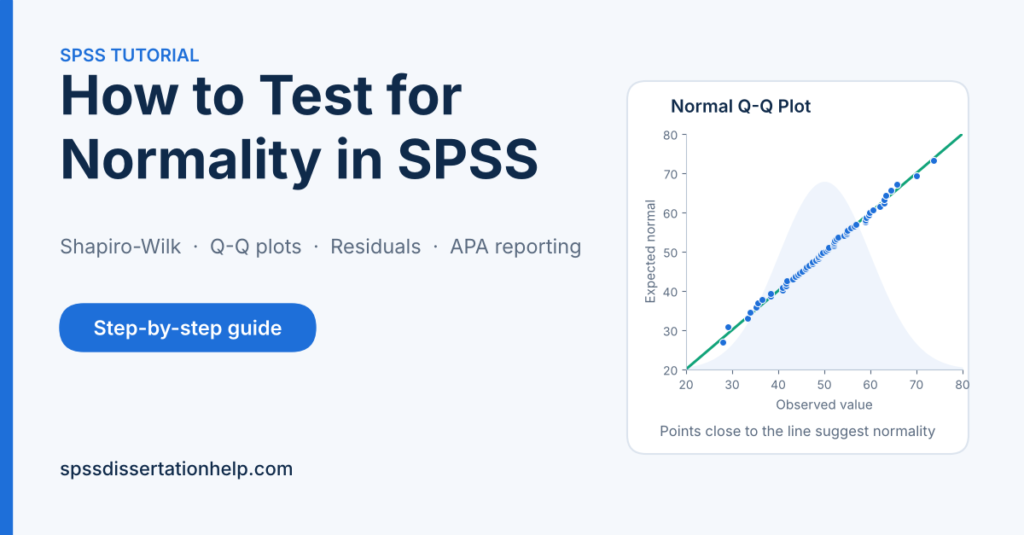
If you are unsure whether your data meets parametric assumptions, consider first performing normality testing in SPSS or exploring how to test assumptions in SPSS before selecting your test.
Research Scenarios Where the Test Is Appropriate
Example 1: Nursing Research
Comparing patient satisfaction scores between public and private hospitals when scores are skewed.
Example 2: Business Research
Comparing customer loyalty ratings between two brands when ratings are ordinal (1–5 Likert scale).
Example 3: Psychology Research
Comparing anxiety scores between treatment and control groups when data violates normality.
Example 4: Education Research
Comparing exam scores between two teaching methods where sample sizes are small.
Understanding the Statistical Logic
The Mann Whitney U test does not compare means directly.
Instead, it:
- Combines all observations
- Ranks them from smallest to largest
- Sums ranks within each group
- Calculates a U statistic
- Converts U into a Z value
- Determines statistical significance
The formula for U is:U=n1n2+2n1(n1+1)−R1
Where:
- n1 = sample size group 1
- n2 = sample size group 2
- R1 = sum of ranks for group 1
SPSS performs this automatically, but understanding the logic strengthens interpretation.
Assumptions of the Mann Whitney U Test
Although it is nonparametric, it still has assumptions:
1. Independent Groups
Each participant belongs to only one group.
2. Ordinal or Continuous Dependent Variable
Likert scale responses are acceptable.
3. Similar Distribution Shape
If distributions differ in shape, interpretation changes from medians to distribution differences.
If you are unsure how to check this, review data screening in SPSS and how to check assumptions in SPSS before running the analysis.
Preparing Data in SPSS
Before performing the test, data must be structured correctly.
Step 1: Open SPSS
Open IBM SPSS Statistics.
Step 2: Define Variables
In Variable View:
| Variable Name | Type | Label | Values |
|---|---|---|---|
| Group | Numeric | Treatment Group | 1 = Control, 2 = Experimental |
| Score | Numeric | Satisfaction Score | None |
Ensure:
- Group variable is coded numerically
- Score variable is scale
Step 3: Enter Data in Data View
| Group | Score |
|---|---|
| 1 | 12 |
| 1 | 15 |
| 1 | 14 |
| 2 | 18 |
| 2 | 20 |
| 2 | 22 |
How to Run a Mann Whitney U Test in SPSS (Step-by-Step)
Follow these steps carefully:
Step 1
Click Analyze
Step 2
Select Nonparametric Tests
Step 3
Choose Legacy Dialogs
Step 4
Click 2 Independent Samples
A dialog box appears.
Step 5
Move your dependent variable (Score) into the “Test Variable List”
Step 6
Move your grouping variable (Group) into “Grouping Variable”
Step 7
Click Define Groups
Enter:
- Group 1: 1
- Group 2: 2
Click Continue.
Step 8
Ensure “Mann Whitney U” is selected.
Click OK.
Understanding SPSS Output
SPSS generates two primary tables.
Table 1: Ranks
| Group | N | Mean Rank | Sum of Ranks |
|---|---|---|---|
| Control | 3 | 2.00 | 6.00 |
| Experimental | 3 | 5.00 | 15.00 |
| Total | 6 |
Interpretation
The experimental group has higher mean ranks, suggesting higher scores.
Table 2: Test Statistics
| Statistic | Value |
|---|---|
| Mann Whitney U | 0.000 |
| Wilcoxon W | 6.000 |
| Z | -2.121 |
| Asymp. Sig. (2-tailed) | 0.034 |
Interpretation
- p = 0.034
- Since p < .05
- There is a statistically significant difference between groups.
How to Report in APA Format
Example:
A Mann Whitney U test revealed a statistically significant difference in satisfaction scores between the control group (Mdn = 14) and the experimental group (Mdn = 20), U = 0.00, z = -2.12, p = .034.
Effect Size Calculation
Effect size is calculated as:r=NZ
If:
- Z = -2.12
- N = 6
r=−2.12/6 r=−2.12/2.45=−0.86
Interpretation:
| r Value | Effect Size |
|---|---|
| 0.1 | Small |
| 0.3 | Medium |
| 0.5+ | Large |
Here, effect size is large.
If you need help computing effect sizes automatically, consider advanced SPSS analysis support.
Common Mistakes When Running the Test
- Forgetting to define groups
- Using string grouping variables
- Ignoring distribution shapes
- Not reporting effect size
- Confusing mean ranks with means
- Running parametric tests without assumption checks
Visualizing Results
Boxplots help visualize differences.
To create:
Analyze → Descriptive Statistics → Explore → Plots → Boxplot
Boxplots show:
- Median differences
- Spread
- Outliers
Understanding graphical representation is crucial in dissertation data analysis.
Practical Example: Nursing Dissertation
Research Question:
Is there a difference in patient pain scores between two treatment groups?
Steps:
- Enter data
- Check normality
- Run Mann Whitney U
- Interpret p-value
- Calculate effect size
- Report in APA
Why This Test Matters in Dissertations
Many Likert scale surveys violate normality. Instead of forcing parametric tests, using nonparametric methods strengthens research credibility.
Examiners often check:
- Assumption justification
- Correct test selection
- Interpretation clarity
- Effect size reporting
If your supervisor requests deeper analysis, you may require Chapter 4 statistical analysis assistance.
Transition to Advanced Interpretation
In the next section, we will cover:
- Exact vs Asymptotic significance
- Ties correction
- Confidence intervals
- Bootstrapping in SPSS
- Comparing medians properly
- Interpreting distribution shifts
- Writing high-level dissertation explanations
- Common viva defense questions
Exact vs Asymptotic Significance in SPSS
When you run a Mann Whitney U test in SPSS, the output provides:
- Asymptotic significance (2-tailed)
- Sometimes exact significance (if selected)
Understanding the difference is critical.
Asymptotic Significance
This is based on the normal approximation of the sampling distribution.
It is appropriate when:
- Sample sizes are moderate to large (n > 20 per group)
- There are few tied ranks
Exact Significance
This calculates the exact probability of the U statistic under the null hypothesis.
It is preferred when:
- Sample sizes are small
- Data contain many tied ranks
- Research is highly rigorous
How to Request Exact Test in SPSS
- Analyze
- Nonparametric Tests
- Legacy Dialogs
- 2 Independent Samples
- Click “Exact”
- Choose Exact
- Click Continue
- Click OK
SPSS will generate an additional table with exact p-values.
For doctoral-level research, using exact tests improves defensibility during thesis examination.
Handling Ties in Mann Whitney U
Ties occur when participants share identical scores.
Because the test ranks data, tied values receive averaged ranks.
Example:
If three participants score 10 and those ranks would have been 4, 5, and 6, they each receive:
(4 + 5 + 6) / 3 = 5
SPSS automatically corrects for ties in the Z calculation.
However, when ties are excessive:
- Statistical power decreases
- Interpretation becomes cautious
In survey research using Likert scales, ties are common. This is why many dissertation committees expect explanation of tied ranks in Chapter 4.
Understanding the Z Statistic
After calculating U, SPSS transforms it into a standardized Z score.Z=SDUU−MeanU
Where:
- Mean_U = expected U under null
- SD_U = standard deviation of U
The Z statistic allows:
- Comparison across studies
- Effect size calculation
- Standardized reporting
Interpreting Distribution Shape
A crucial but often ignored issue is distribution shape.
If group distributions have:
- Similar shapes → You compare medians.
- Different shapes → You compare overall distributions.
How to Check Distribution Shape
- Analyze
- Descriptive Statistics
- Explore
- Move dependent variable
- Factor list: Group
- Click Plots
- Select Histogram and Normality plots
- Click OK
Compare histograms.
If shapes are visibly different, report:
“The Mann Whitney U test indicated a significant difference in score distributions between groups.”
If shapes are similar, report:
“There was a statistically significant difference in median scores between groups.”
This distinction is important in high-quality dissertation reporting.
Confidence Intervals and Bootstrapping
SPSS allows bootstrapping to obtain confidence intervals for median differences.
Why Use Bootstrapping?
Bootstrapping:
- Resamples data repeatedly
- Does not assume normality
- Provides robust confidence intervals
Steps to Enable Bootstrapping
- Before running test, click Bootstrap
- Select Perform Bootstrapping
- Set samples (e.g., 1000)
- Click OK
SPSS will generate:
- Bias-corrected confidence intervals
- Bootstrap significance values
In doctoral research, bootstrapping strengthens statistical credibility.
Calculating Effect Size Properly
Effect size interpretation is essential.
The most common measure:r=NZ
Where:
- Z = test statistic
- N = total sample size
Interpretation Guidelines
| Effect Size (r) | Interpretation |
|---|---|
| 0.10 | Small |
| 0.30 | Medium |
| 0.50 | Large |
However, modern research encourages reporting:
- Rank-biserial correlation
- Cliff’s delta
- Probability of superiority
Rank-Biserial Correlation
rrb=1−n1n22U
This gives intuitive interpretation:
Probability that a randomly selected person from group A scores higher than group B.
If you require automated computation, explore advanced SPSS statistical analysis support.
Power Considerations
Nonparametric tests typically have slightly lower statistical power compared to parametric tests when normality holds.
Factors affecting power:
- Sample size
- Effect size magnitude
- Distribution overlap
- Number of ties
Small samples require caution.
If sample sizes are below 20 per group, interpretation should emphasize:
- Effect size
- Confidence intervals
- Practical significance
Practical Interpretation Example (Business Study)
Research Question:
Is there a difference in customer satisfaction between online and in-store shoppers?
Output:
| Statistic | Value |
|---|---|
| U | 212.5 |
| Z | -2.98 |
| p | 0.003 |
Interpretation:
The Mann Whitney U test indicated a statistically significant difference in satisfaction between online and in-store shoppers, U = 212.5, z = -2.98, p = .003. Online shoppers demonstrated higher median satisfaction.
Effect size:r=−2.98/80=−2.98/8.94=−0.33
This indicates a medium effect size.
Writing Dissertation-Level Explanation
Instead of writing:
“The test was significant.”
Write:
“A Mann Whitney U test was conducted due to violation of normality assumptions. Results indicated a statistically significant difference in satisfaction scores between the online and in-store groups, U = 212.50, z = -2.98, p = .003, with a medium effect size (r = .33). The online group demonstrated higher median satisfaction.”
This demonstrates:
- Justification of test choice
- Statistical result
- Effect size
- Practical meaning
Comparing Medians Correctly
SPSS does not directly test medians unless distributions are similar.
To obtain medians:
Analyze
Descriptive Statistics
Explore
Report medians alongside U test results.
Example table:
| Group | Median | IQR |
|---|---|---|
| Control | 15 | 4 |
| Experimental | 21 | 3 |
Include this table in Chapter 4.
26. Common Viva Questions and Answers
Q: Why did you not use an independent samples t-test?
A: The data violated normality assumptions based on Shapiro-Wilk tests and histogram inspection; therefore, a nonparametric alternative was appropriate.
Q: What does the Mann Whitney U test compare?
A: It compares ranked distributions between two independent groups.
Q: What does a significant result imply?
A: That the probability of observing such rank differences under the null hypothesis is low.
Q: Why did you report effect size?
A: Statistical significance does not indicate magnitude; effect size quantifies practical importance.
Visual Reporting for Publication
Include:
- Boxplots
- Median comparison table
- Effect size calculation
- Z and U values
- Confidence intervals if bootstrapped
Proper formatting improves credibility and reduces examiner critique.
If you need structured help, review Chapter 4 statistical reporting assistance or SPSS dissertation consulting.
Advanced Research Considerations
When sample size is large (n > 100 per group):
- Asymptotic p-values are appropriate.
- Exact tests may not be necessary.
- Effect size becomes more meaningful than p-value.
When sample size is extremely small:
- Report exact p-values.
- Emphasize descriptive statistics.
- Discuss limitations.
Full Worked Dissertation Example (Healthcare Study)
Research Scenario
A researcher investigates whether there is a difference in pain severity scores between:
- Group 1: Standard Treatment
- Group 2: New Treatment
Pain scores are measured using a 0–10 numeric scale.
Step 1: Data Screening
The researcher first checks normality:
Analyze → Descriptive Statistics → Explore → Plots → Normality plots with tests
Shapiro-Wilk results:
| Group | W | p-value |
|---|---|---|
| Standard | .86 | .012 |
| New | .88 | .021 |
Since p < .05 in both groups, normality is violated.
The independent samples t-test assumption fails.
Therefore, the Mann Whitney U test is appropriate.
Step 2: Running the Test
Analyze → Nonparametric Tests → Legacy Dialogs → 2 Independent Samples
Dependent Variable: Pain Score
Grouping Variable: Treatment Group
Define Groups: 1 and 2
Select Mann Whitney U
Click OK
Step 3: Output Interpretation
Table 1: Ranks
| Treatment | N | Mean Rank | Sum of Ranks |
|---|---|---|---|
| Standard | 25 | 32.40 | 810 |
| New | 25 | 18.60 | 465 |
Interpretation:
The new treatment group has lower mean ranks, suggesting lower pain scores.
Table 2: Test Statistics
| Statistic | Value |
|---|---|
| U | 140.00 |
| Z | -3.21 |
| p | .001 |
Interpretation:
Since p = .001, there is a statistically significant difference between treatments.
Step 4: Effect Size Calculation
r=50−3.21=7.07−3.21=−0.45
Effect size = 0.45 → Medium to large.
Step 5: APA Reporting Example
A Mann Whitney U test indicated a statistically significant difference in pain scores between the standard treatment group and the new treatment group, U = 140.00, z = -3.21, p = .001. Participants receiving the new treatment reported significantly lower pain severity. The effect size was medium to large (r = .45).
Running Multiple Mann Whitney U Tests
In dissertation research, you may compare:
- Gender differences across multiple outcomes
- Treatment differences across several dependent variables
- Group comparisons across subscales
Running multiple tests increases the risk of Type I error.
Controlling for Type I Error (Bonferroni Correction)
If conducting 5 tests:
Adjusted alpha = .05 / 5 = .01
Instead of comparing p < .05, compare p < .01.
Example:
| Variable | p-value | Significant (α = .01)? |
|---|---|---|
| Anxiety | .003 | Yes |
| Stress | .012 | No |
| Sleep | .000 | Yes |
| Motivation | .045 | No |
| Satisfaction | .008 | Yes |
This protects research integrity.
Using SPSS Syntax Instead of Menus
Advanced researchers often use syntax for reproducibility.
SPSS Syntax for Mann Whitney U Test
NPAR TESTS
  /MANN-WHITNEY = PainScore BY TreatmentGroup (1 2).
Advantages of syntax:
- Reproducibility
- Transparency
- Easy re-running
- Required by some journals
Syntax improves methodological rigor in advanced dissertations.
Combining Mann Whitney with Other Tests
In real research, the Mann Whitney U test rarely stands alone.
Common combinations:
- Kruskal-Wallis test (more than 2 groups)
- Spearman correlation
- Chi-square test
- Logistic regression
If your study has 3 or more groups, consider the Kruskal-Wallis test first.
You can explore nonparametric test comparisons in SPSS or advanced statistical modelling support when designing complex studies.
Exporting SPSS Tables Properly
Dissertation committees expect:
- Clean formatting
- APA-compliant tables
- Clear titles
To export:
File → Export → Word or Excel
Or:
Right-click table → Copy Special → Paste into Word as formatted text
Then format as:
Table 4.1
Mann Whitney U Test Comparing Pain Scores Between Treatment Groups
Proper presentation increases academic credibility.
Advanced Interpretation Scenarios
Scenario 1: Significant p but Small Effect
p = .002
r = .12
Interpretation:
Statistically significant but practically small difference.
Discuss practical relevance.
Scenario 2: Non-Significant p but Medium Effect
p = .07
r = .31
Interpretation:
Potential underpowered study.
Discuss sample size limitations.
Scenario 3: Large Sample Size
With n > 200 per group:
Even small differences become significant.
Focus more on effect size than p-value.
Case Study: Education Research
Research Question:
Is there a difference in exam performance between online and face-to-face learning?
Output:
| U | Z | p |
|---|---|---|
| 3025 | -1.98 | .048 |
Interpretation:
Significant at α = .05, but borderline.
If Bonferroni adjusted α = .01, not significant.
Researchers must explain alpha adjustment.
Writing Multiple Mann Whitney Tests in Chapter 4
Instead of writing repetitive statements:
Write structured narrative:
“A series of Mann Whitney U tests were conducted to examine gender differences across academic performance variables. After applying a Bonferroni correction (α = .01), significant differences were observed for mathematics achievement (U = 1120, p = .004) and science performance (U = 980, p = .002), but not for reading comprehension (p = .034).”
This demonstrates advanced statistical understanding.
When NOT to Use Mann Whitney U
Do not use it when:
- Groups are paired (use Wilcoxon signed-rank test)
- More than 2 groups (use Kruskal-Wallis)
- Dependent variable is nominal
- Sample sizes are extremely unequal and distribution shapes differ dramatically
Visualizing Group Differences
Recommended visuals:
- Boxplots
- Violin plots
- Median comparison tables
- Rank distribution plots
To create boxplot in SPSS:
Graphs → Chart Builder → Boxplot → Drag to canvas
Visual evidence strengthens dissertation chapters.
Interpreting Borderline Results
If p = .051:
Do not say “almost significant.”
Instead write:
“The result approached significance; however, it did not meet the predefined alpha threshold of .05.”
Academic precision is essential.
Common Examiner Critiques
Examiners often ask:
- Why not transform the data?
- Did you consider parametric robustness?
- Did you check distribution shape?
- Why not report confidence intervals?
- Did you adjust for multiple testing?
Being prepared strengthens your viva defense.
Full Reporting Template for Dissertation
You may structure your Chapter 4 section like this:
- Justification of nonparametric test
- Descriptive statistics (median, IQR)
- Ranks table interpretation
- Test statistics interpretation
- Effect size calculation
- Practical implications
- Reference to figure
Example template:
“Due to violation of normality assumptions, a Mann Whitney U test was conducted to compare satisfaction scores between Group A and Group B. The analysis indicated a statistically significant difference, U = 340.00, z = -2.75, p = .006. Group A demonstrated higher median satisfaction (Mdn = 4.20, IQR = 0.60) compared to Group B (Mdn = 3.70, IQR = 0.80). The effect size was medium (r = .29), indicating a meaningful difference.”
Common SPSS Errors and How to Fix Them
Error 1: “Grouping variable must have exactly two categories”
Cause:
Your grouping variable contains more than two values.
Solution:
Check Variable View → Values → Ensure only two group codes exist.
If your study has more than two groups, use Kruskal-Wallis instead.
Error 2: “Define Groups” Button Not Clicked
Cause:
You forgot to specify group values.
Solution:
Click Define Groups → Enter correct numeric codes (e.g., 1 and 2).
Error 3: Group Variable is String
Cause:
Grouping variable entered as text (e.g., “Male”, “Female”).
Solution:
Recode into numeric format:
Transform → Recode into Different Variables.
Error 4: No Output Generated
Cause:
Data may contain missing values in key variables.
Solution:
Check Data View for blank cells.
Remove or handle missing data before running the test.
Error 5: Incorrect Interpretation of Mean Ranks
Many researchers confuse mean ranks with actual means.
Important:
The Mann Whitney U test compares ranks, not means.
Do not write:
“The mean of group 1 was higher.”
Instead write:
“Group 1 demonstrated higher mean ranks.”
Step-by-Step Troubleshooting Checklist
Before submitting your dissertation, confirm:
- Grouping variable is numeric
- Exactly two groups exist
- Dependent variable is ordinal or continuous
- Assumptions are justified
- Distribution shapes are checked
- Effect size is calculated
- Medians are reported
- Multiple testing correction applied (if necessary)
- APA format is correct
This checklist helps avoid examiner criticism.
Advanced Troubleshooting Scenarios
Scenario A: Extremely Unequal Sample Sizes
Example:
Group 1 = 150
Group 2 = 20
Issue:
Results may be influenced by imbalance.
Recommendation:
Report this as a limitation.
Consider bootstrapping.
Scenario B: Many Tied Ranks
Common in Likert data.
Solution:
Use exact test option.
Report tie correction.
Scenario C: Outliers Present
Mann Whitney is less sensitive to outliers, but still:
- Inspect boxplots
- Mention extreme values
- Explain data cleaning decisions
You may explore data cleaning in SPSS before final analysis.
Frequently Asked Questions (FAQ)
What does the Mann Whitney U test measure?
It tests whether two independent groups differ significantly in their ranked distributions.
Is it the same as the Wilcoxon rank-sum test?
Yes. The terms are used interchangeably for independent samples.
Can I use it for Likert scale data?
Yes. It is commonly used for ordinal Likert scale responses.
What if my p-value is exactly .05?
Interpretation depends on your predefined alpha level.
If α = .05 and p = .05, it is technically significant.
Can I report means instead of medians?
You should report medians when using the Mann Whitney U test because it compares rank distributions.
Should I always calculate effect size?
Yes. Modern research standards require reporting effect size alongside p-values.
Is the Mann Whitney U test robust?
Yes. It is robust against non-normal distributions and moderate outliers.
What is the minimum sample size required?
There is no strict minimum, but extremely small samples reduce statistical power.
Can I run it in SPSS using syntax?
Yes. Syntax improves reproducibility and transparency.
Can I combine it with regression analysis?
Yes, but they serve different purposes. Regression models predict outcomes; Mann Whitney compares groups.
Full Summary Guide: How to Run a Mann Whitney U Test in SPSS
Here is the complete workflow:
Step 1: Define Research Question
Two independent groups? Continuous or ordinal outcome?
Step 2: Check Assumptions
Test normality.
Inspect distribution shape.
Step 3: Enter Data Properly
Numeric group codes.
Scale dependent variable.
Step 4: Run the Test
Analyze → Nonparametric Tests → Legacy Dialogs → 2 Independent Samples
Step 5: Define Groups
Enter group codes correctly.
Step 6: Interpret Output
Check U, Z, and p-value.
Interpret mean ranks.
Step 7: Calculate Effect Size
Use r = Z / √N.
Step 8: Report in APA
Include U, z, p, median, effect size.
Step 9: Adjust for Multiple Testing (if applicable)
Step 10: Present Results Clearly
Use tables and boxplots.
Example Comprehensive Reporting Table
| Variable | Group 1 Median | Group 2 Median | U | Z | p | Effect Size (r) |
|---|---|---|---|---|---|---|
| Anxiety | 3.4 | 2.8 | 210 | -2.75 | .006 | .29 |
| Stress | 4.1 | 3.9 | 350 | -1.02 | .308 | .11 |
| Satisfaction | 3.9 | 4.5 | 180 | -3.40 | .001 | .36 |
Such structured reporting improves clarity in dissertations and journal manuscripts.
When You May Need Professional Statistical Support
You may require assistance if:
- Your supervisor requests deeper interpretation
- Your results are borderline significant
- You are unsure about distribution shape
- You need help writing Chapter 4
- You must combine multiple nonparametric tests
- You need effect size automation
- You must defend your statistical choices
In such cases, consider exploring:
Request a Quote for Statistical Assistance
If you need expert help with your dissertation data analysis, interpretation, or reporting:
You can request a customized quote for:
- Running Mann Whitney U tests correctly
- Interpreting complex SPSS outputs
- Writing publication-ready Chapter 4 results
- Calculating effect sizes
- Performing bootstrapping
- Preparing APA-formatted tables
- Combining nonparametric analyses
Provide the following details when requesting a quote:
- Level of study (Masters, PhD, etc.)
- Sample size
- Research topic
- Variables involved
- Deadline
- Output files available (SPSS, Excel, etc.)
A detailed description ensures accurate pricing and structured support.
Final Conclusion
Understanding how to run a Mann Whitney U test in SPSS is essential for researchers working with non-normal data or ordinal measurements. When applied correctly, the test provides reliable insights into differences between two independent groups.
However, proper execution involves more than clicking menu options. It requires:
- Correct assumption justification
- Careful interpretation of ranks
- Effect size calculation
- Transparent reporting
- Multiple testing correction
- Clear dissertation-level writing
By following this four-part guide, you now have a complete, structured understanding of:
- Statistical theory
- SPSS execution
- Output interpretation
- Advanced reporting standards
- Troubleshooting strategies
This knowledge ensures your research remains statistically sound, academically defensible, and professionally presented.